centralmcp — HPE Networking MCP toolkit
Low-token Model Context Protocol tooling for HPE Aruba Central, HPE GreenLake Platform, embedded docs/API lookup, and optional ClearPass, Mist, Apstra, ArubaOS 8, EdgeConnect, and UXI starter backends.
Search keywords
HPE Networking MCP server, HPE Aruba Networking MCP server, HPE Aruba Central
MCP server, Aruba Central AI tools, HPE GreenLake Platform MCP, GreenLake
Platform MCP, GreenLake service catalog MCP, GreenLake reporting status MCP,
FastMCP network automation, Model Context Protocol networking, network
configuration MCP, Aruba API RAG, Aruba Central OpenAPI lookup, ClearPass MCP,
Juniper Mist MCP, Apstra MCP, ArubaOS 8 MCP, AOS8 automation, HPE Aruba
EdgeConnect MCP, EdgeConnect SD-WAN MCP, HPE Aruba UXI MCP, UXI sensor status MCP,
guarded read/write lab automation, EdgeConnect zones, EdgeConnect interface
labels, zone-based firewall MCP, Python httpx network automation, EdgeConnect
ACL object groups, EdgeConnect services, EdgeConnect bypass mode, EdgeConnect
link integrity diagnostics.
Start fast
git clone https://github.com/secure-ssid/centralmcp.git
cd centralmcp
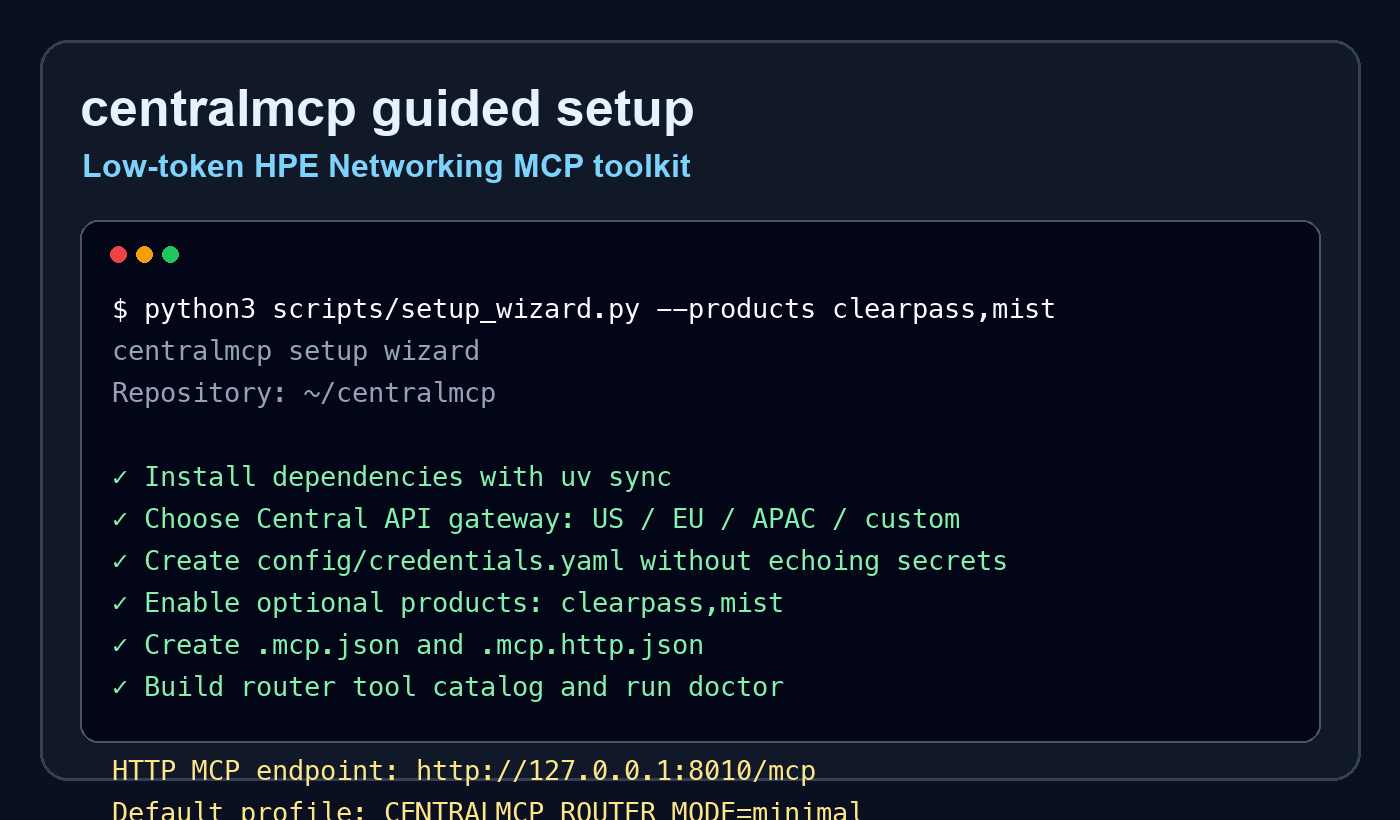
python3 scripts/setup_wizard.py
The wizard can install dependencies, create local MCP configs, choose a Central API gateway region, fill credentials without echoing secrets, enable selected optional products, build the router catalog, and run the local doctor.
Setup flow
flowchart TD
    clone["git clone centralmcp"]
    wizard["scripts/setup_wizard.py"]
    credentials["Central / GLP credentials<br/>config/credentials.yaml"]
    products["Optional products<br/>ClearPass, Mist, Apstra, AOS8, EdgeConnect, UXI"]
    access{"Product access"}
    readonly["read-only<br/>write tools hidden/blocked"]
    readwrite["read-write lab mode<br/>dry-run previews<br/>confirm=True to execute"]
    config["Local MCP config<br/>stdio or streamable HTTP"]
    catalog["Router tool catalog"]
    doctor["scripts/doctor.py"]
    ready["MCP client connected<br/>to aruba-tool-router"]

    clone --> wizard
    wizard --> credentials
    wizard --> products
    products --> access
    access --> readonly
    access --> readwrite
    readonly --> config
    readwrite --> config
    credentials --> catalog
    config --> catalog
    catalog --> doctor
    doctor --> ready
Pick your path
| Goal | Guide |
|---|---|
| Install and connect an MCP client | Getting started |
| Copy/paste stdio or HTTP client config | MCP client recipes |
| Enable ClearPass, Mist, Apstra, AOS8, EdgeConnect, or UXI | Optional product starters |
| Plan typed product-specific workflows | Typed product workflow roadmap |
| Fix setup, credentials, HTTP, or catalog issues | Troubleshooting |
| Download or package prebuilt RAG/OpenAPI indexes | Prebuilt RAG/OpenAPI indexes |
| Understand the low-token router | Tool router |
| Try useful prompts | Example prompts |
| See architecture and flow diagrams | System overview |
| Review RAG/OpenAPI lookup design | RAG architecture |
Default low-token profile
CENTRALMCP_ROUTER_MODE=minimal
CENTRALMCP_TOOLSETS=central,glp,rag
This exposes only find_tool, invoke_read_tool, and invoke_tool to the MCP
client while the router finds and dispatches backend tools on demand.
Optional products
Enable only the product starters you want in the current session:
python3 scripts/setup_wizard.py --products clearpass,mist
Available starters:
| Product | Variables |
|---|---|
| ClearPass | CLEARPASS_BASE_URL, CLEARPASS_API_TOKEN |
| Juniper Mist | MIST_HOST, MIST_API_TOKEN |
| Apstra | APSTRA_BASE_URL, APSTRA_API_TOKEN |
| ArubaOS 8 | AOS8_BASE_URL, AOS8_API_TOKEN |
| EdgeConnect | EDGECONNECT_BASE_URL, EDGECONNECT_API_TOKEN, optional EDGECONNECT_AUTH_HEADER |
| HPE Aruba UXI | UXI_CLIENT_ID, UXI_CLIENT_SECRET, optional UXI_BASE_URL, optional UXI_TOKEN_URL |
See the optional product matrix for the full setup and safety model.
Streamable HTTP
MCP_PORT=8010 bash scripts/run_http_router.sh
Then point an MCP-capable client to:
http://127.0.0.1:8010/mcp
Prebuilt docs/API search
For full docs/API search without local scraping, download the prebuilt release indexes:
uv run python scripts/download_indexes.py
Project links
Community and support
- Support guide - where to ask setup, usage, bug, and feature questions
- Contributing guide - local setup, validation, docs, and no-secret expectations
- Code of conduct - collaboration expectations
- Security policy - private vulnerability and credential-exposure reporting guidance
- GitHub issues - bug reports, feature requests, and support questions with fake or redacted details
Related projects and thanks
centralmcp is an independent HPE Networking MCP toolkit. It is improved by watching the official MCP ecosystem and community work; thanks to these projects for useful patterns and references:
- HewlettPackard/gl-mcp - official GreenLake Platform MCP server
- modelcontextprotocol/python-sdk - MCP Python SDK
- KarthikSKumar98/central-mcp-server - community Aruba Central MCP server
- nowireless4u/hpe-networking-mcp - unified HPE networking MCP reference
Disclaimer
centralmcp is an independent community project. It is not an official HPE or HPE Aruba Networking product and is not endorsed by or supported by HPE.
License
MIT - see the repository license.